How to read project progress in Liquid Brain Build
Short answer
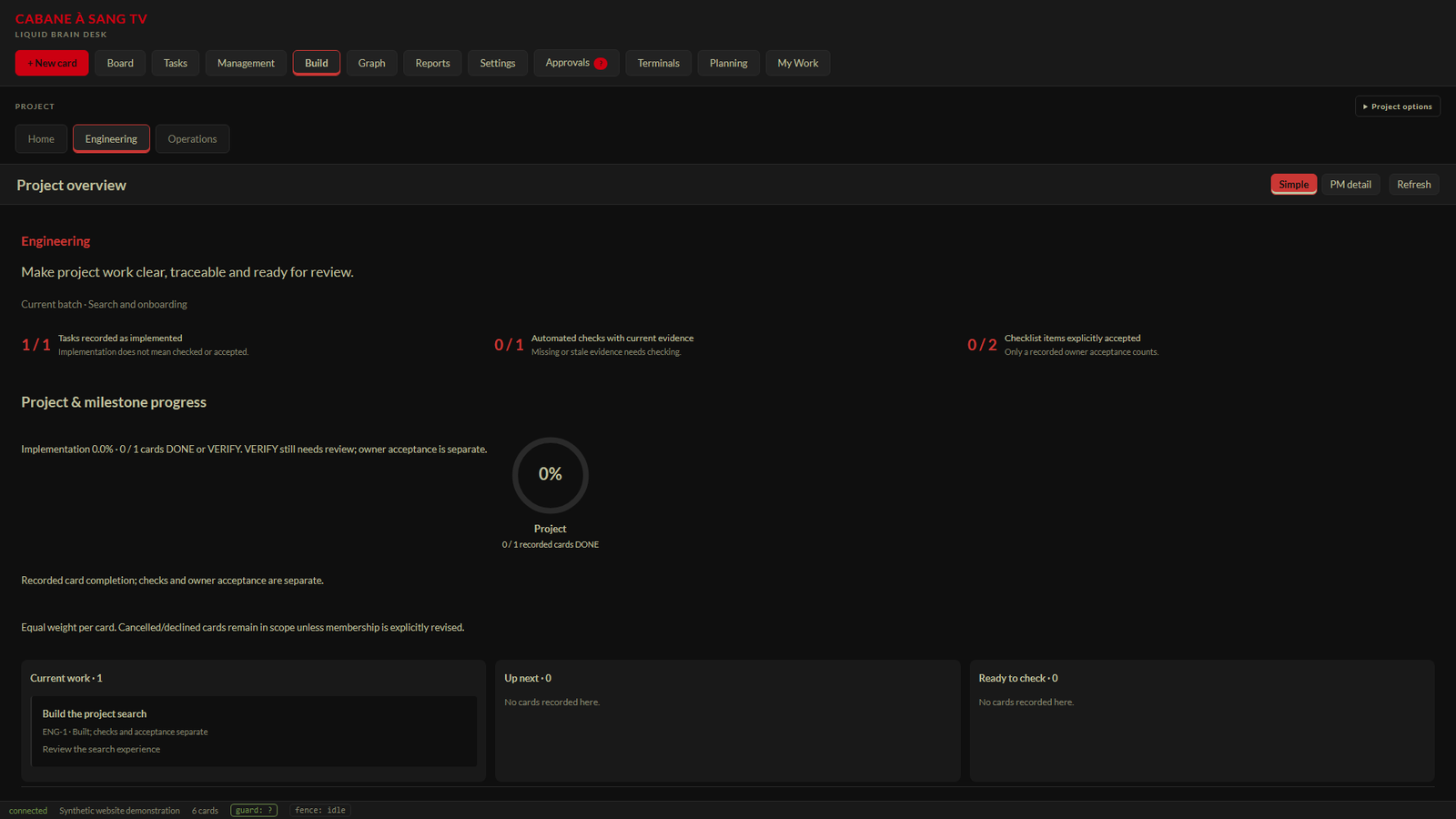
Select a project and open Build. Read its implementation, current-evidence and acceptance indicators separately: they answer different questions and should not be combined into a release-readiness score.
Before you start
Build needs a configured project plan or binding. A project with no source plan is unconfigured; an empty display does not mean the project has no work. The view follows the selected project and exposes source information for review.
Three questions behind the numbers
Implementation asks what the source records as built. Current evidence asks whether recorded checks still have current supporting evidence. Acceptance asks which checklist items have explicit owner acceptance. A card in VERIFY can contribute to implementation progress while still requiring review; DONE-only completion is shown separately.
Follow the work that matters next
The overview brings together the project goal, current batch, milestones, current work, up-next items and work ready to check. Expand Checks & acceptance to see individual records. PM detail provides the more detailed project-manager view when the overview is not enough.
Select the project whose progress you want to understand. Open Build in the top navigation. Read the goal and current batch, then compare implementation, evidence and acceptance indicators. Expand Checks & acceptance to inspect unresolved or stale items. Use PM detail and source details when you need to understand a recorded result.Steps
Expected result
You should be able to explain the next review action, not just repeat a percentage. A stale check calls for rechecking. Missing evidence stays unknown. A recorded implementation does not imply that an owner approved the result.
When the numbers seem inconsistent
Inspect which source and denominator each indicator uses. Task records, source-card status and checklist acceptance are different measures. Project scope changes can invalidate a weighted baseline. Do not use an old implementation-plan percentage as the count of every card in a live workspace or as release approval.
Related questions
- Does 100% implementation mean release ready?
- No. Verification evidence, owner acceptance and the release decision remain separate.
- Why can VERIFY count toward implementation?
- VERIFY records work that is ready for checking. It does not mean human acceptance is complete.
- Does a current evidence hash prove the check was sufficient?
- No. It indicates recorded bytes still match. Review the meaning and coverage of the check.