How to read Liquid Brain reports and provenance
Short answer
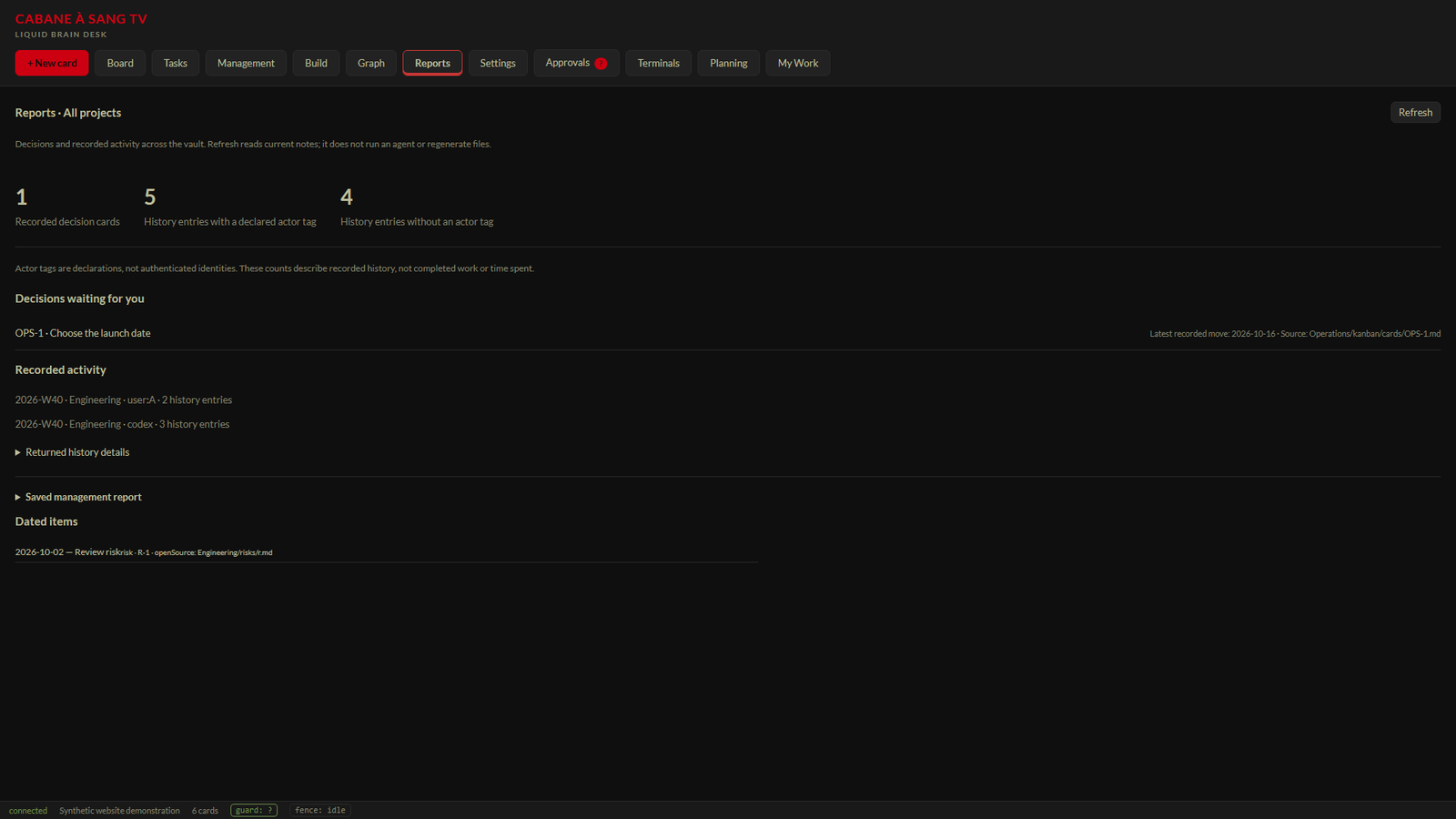
Open Reports to inspect decisions waiting for attention, recorded work history and dated items. Read the coverage notes alongside the totals, and distinguish current query results from an earlier saved report.
Before you start
This guide describes the Reports implementation checked by retained projection and browser tests for the October 17 candidate. The owner Reports walkthrough remains pending. The screenshot uses synthetic demonstration records rather than a live customer workspace.
Read what is recorded
Reports groups history by recorded week, actor and project, shows untagged entries and exposes source details. A declared actor tag is not the same as authenticated identity. Treat the record as provenance to inspect, not a claim that every past action has been independently attributed.
Understand missing and omitted data
Unavailable data should remain unavailable rather than becoming zero. The UI can disclose omitted history details and incomplete dated-item coverage. A bounded list may display fewer details than the aggregate source count; this is not automatically a contradiction.
Separate reports from managed run history
Management also contains Managed run history: recorded harness attempts, results, checks, changed paths, reported usage and commit outcomes. That history excludes ordinary interactive terminal sessions. Unknown usage remains unknown; it is not a complete invoice or account-wide spending ledger.
Open Reports from the top navigation. Read the decisions waiting for attention and the recorded work-history overview. Inspect history details and any omitted or untagged-entry notes. Review dated items and the saved report separately from current query results. Use Refresh to reread available data, and preserve any unavailable result as unknown.Steps
Expected result and troubleshooting
You should be able to identify which decision needs attention and where a displayed history item came from. Use Refresh to reread the report. If a request fails, the unavailable state is not evidence of zero work. A saved report may represent an earlier observation, so inspect its modification information separately. The known installed Graph 503 issue does not establish that Reports has passed owner acceptance.
Related questions
- Are actor names authenticated identities?
- Not merely because they appear in a history line. Reports explicitly distinguishes declared tags from authenticated identity.
- Are missing usage numbers zero?
- No. Missing usage or cost remains unknown.
- Does Refresh rerun the work?
- Refreshing these history/report views rereads their recorded data; it is not a request to rerun an agent task.