Preview: a new Gantt planning experience for Liquid Brain
This page describes a separate prototype. It is not part of the installed product and nothing here is a production instruction.
Short answer
The new Gantt prototype explores a dedicated timeline for planning project work. You can view sample task dates, adjust their timing and show or hide a project list. It is a separate preview, not an integrated feature of the installed Desk candidate.
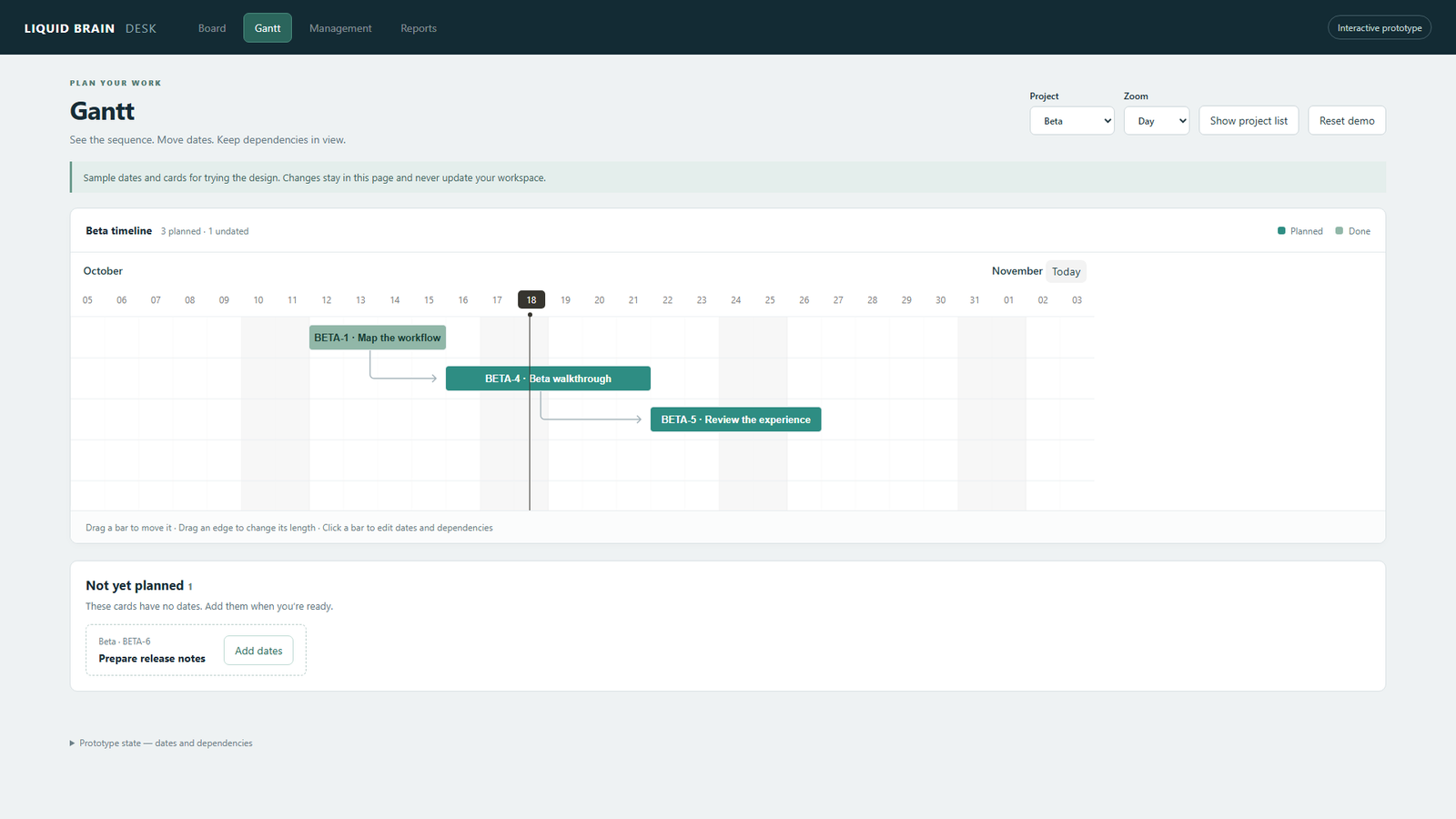
A timeline with the project close by
The design keeps Gantt in its own navigation area. The Show project list control reveals an expandable project navigator beside the chart; Hide project list returns to a focused timeline. The toggle preserves in-memory date edits, the selected project and zoom.
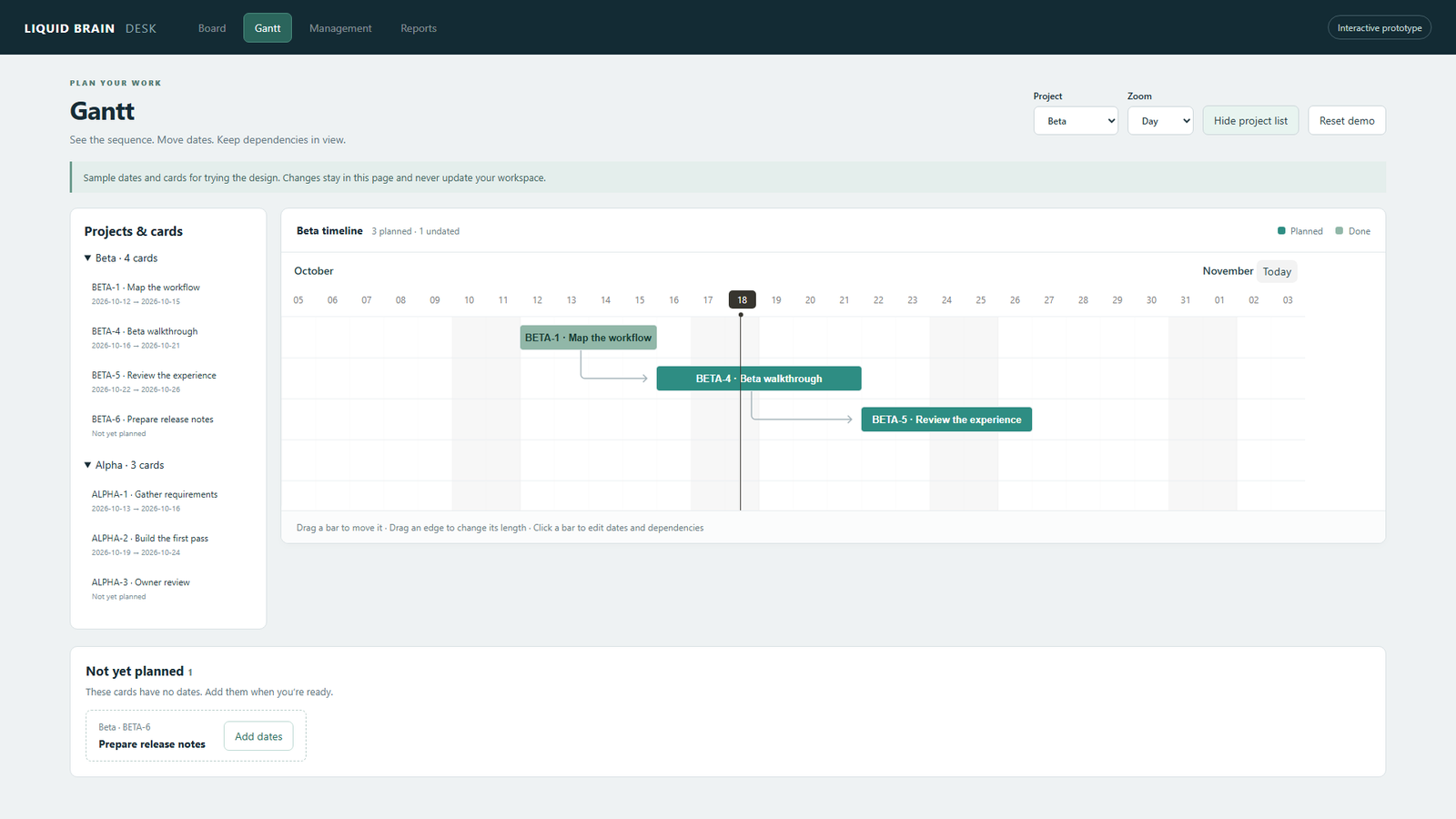
Plan dates without losing undated work
The prototype supports dragging a bar to move it, resizing an edge to change its date range and opening an explicit date editor. Undated cards remain in a Not yet planned area. Declared dependencies appear in the chart, and the editor groups dependency choices by project.
What this preview does—and what remains
All cards and dates are demonstration data. Edits stay in memory, never update a workspace and reset when the page reloads. The owner liked this design direction; production integration and a review of planning behavior remain pending. This page is a design preview, not installation or production usage instructions.
Current Desk planning
The installed candidate still has its existing Management planning screen. The owner requested a dedicated Gantt button and a redesign of that experience. The preview images show that new direction; they should not be taken as screenshots of an already-integrated product feature.
Chart component
The prototype uses locally bundled Frappe Gantt 1.2.2, an MIT-licensed third-party component. That component license does not establish a license for Liquid Brain as a whole.
Related questions
- Will these preview edits update my project?
- No. The prototype uses sample cards and keeps edits only in the current page's memory.
- Is the new Gantt already available in Desk?
- No. It is a separate prototype. Integration into the installed Desk candidate remains pending.
- Can I use both layouts?
- The current prototype has one Show/Hide project list toggle, so you can switch between a focused timeline and a timeline with the project navigator.