
BRAIN FLUID AI HARNESS
BRAIN FLUID — LOCAL PROJECT MANAGEMENT FOR YOUR AI WORK
Bring project work, AI-agent execution and the evidence for human review into one connected workflow.
BRAIN FLUID is not released yet. The v1.8.5 Windows package and its use-only licence are final; the download opens when the release is approved. It will be free, with an optional contribution.
Content reviewed October 30, 2026Not released yet. When it is: a free direct download with no email, account or checkout; a use-only licence (install, run and back up for personal or professional use; no redistribution); an optional contribution that unlocks nothing; and your projects and data stay yours.
FREE DOWNLOAD
Free. No email, no account, no payment.
- Version
- v1.8.5 development candidate (October 30, 2026 build)
- Windows
- Windows x64 portable app (unsigned, extract and run BRAIN FLUID.exe). Python 3.14 and the React interface are bundled. Requires Microsoft Edge WebView2, Windows PowerShell, .NET Framework 4.x and Git for Windows 2.42+. Agent work needs your own Claude Code or Codex CLI and account.
DOWNLOAD OPENS AT RELEASE
The download is not available yet. It opens here when the release is approved, with nothing to sign up for.
INSTALL
- Extract the ZIP to a folder of your choice. BRAIN FLUID is portable: there is no installer.
- Check the requirements: Windows x64 with Microsoft Edge WebView2, Windows PowerShell, .NET Framework 4.x and Git for Windows 2.42 or later.
- Run BRAIN FLUID.exe. The build is unsigned, so Windows SmartScreen may warn about an unknown publisher; continue only if you downloaded it from this page.
- For agent work, install and sign in to your own Claude Code or Codex CLI. BRAIN FLUID includes no account, credits or subscription, and provider charges are yours.
- Then follow the first guides below: what a harness is, and how to create your first project card.
First steps: What is a project management harness? · How to create a project card in BRAIN FLUID Desk · How to preview work with the BRAIN FLUID harness CLI · all guides
SCREENSHOTS
These images show the current Desk interface with synthetic demonstration data. They illustrate the UI, not completed native acceptance testing.
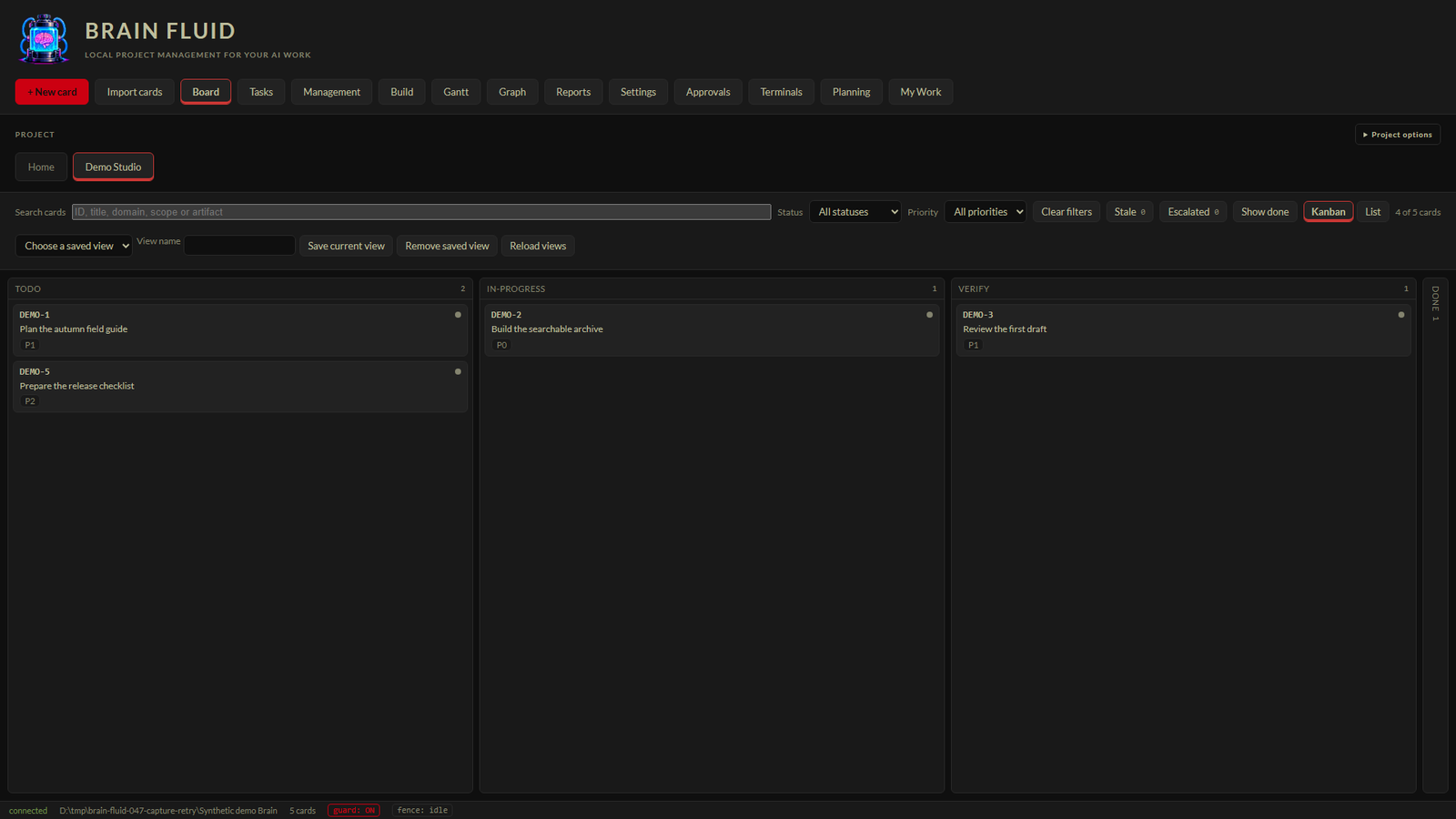
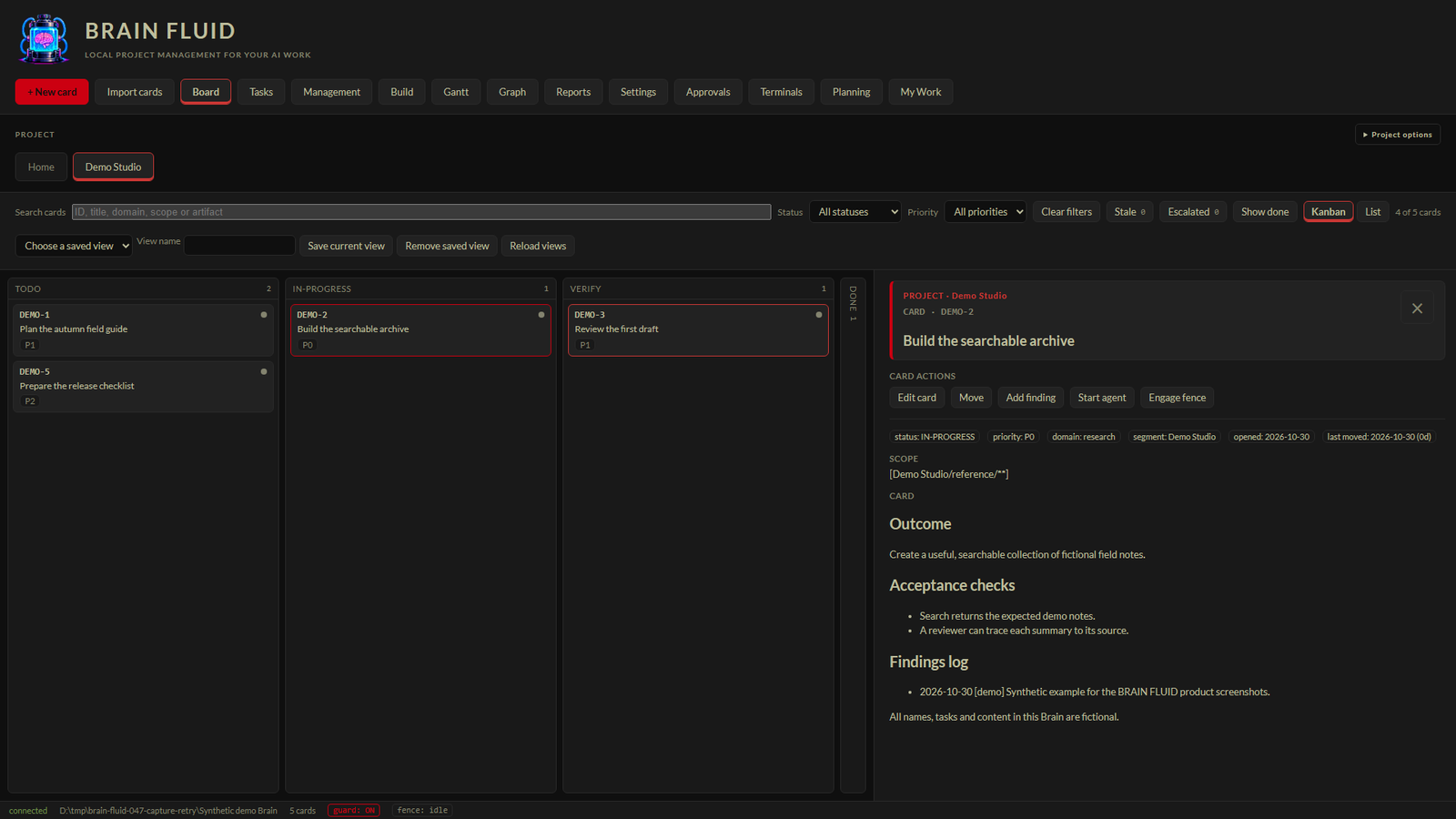
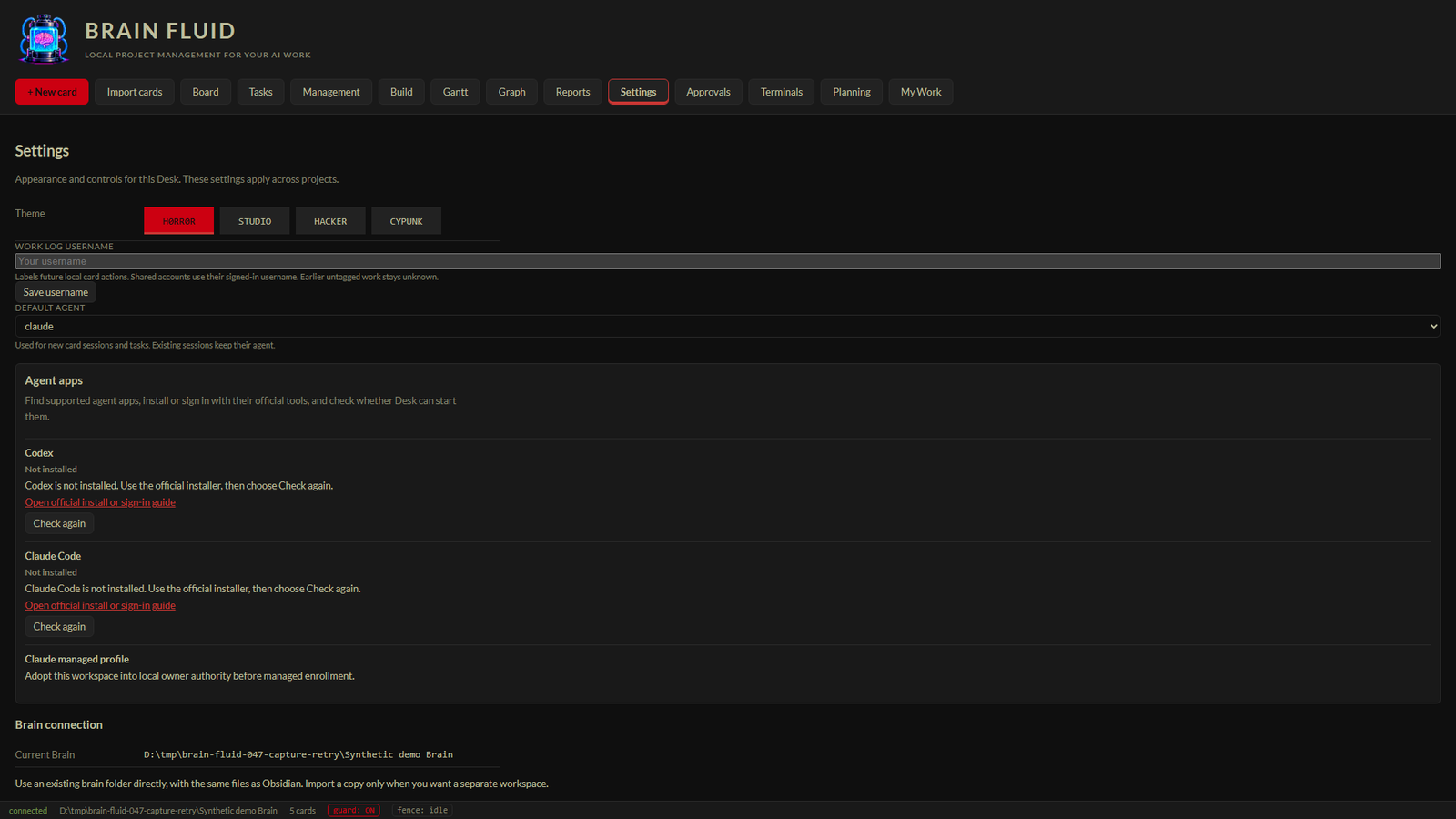
Define the work. Keep its context.
Create cards with priorities, dependencies, scope and clear completion criteria. Search across visible projects, switch between Kanban and List, and save the project views you use every day.
Board and card actions
Create project cards, edit their details, and track work through the board.
Evidence Owner-observed creation and moves; source-reviewed editing
Limits Owner requested simpler move feedback; full acceptance remains pending.
Board vocabulary
Track backlog, planned, active, blocked, review and completed work, with separate decision, hold and declined states.
Evidence Implemented; nine-state test coverage in source
Limits Columns come from workspace configuration; WONT-DO is the actual status token. These are available states, not a mandatory linear sequence.
Search, List and saved views
Find cards by ID, title, domain, scope or artifact; filter by status and priority, switch to List, and save project views.
Evidence Implemented; retained optional-management evidence and source
Limits Personal preferences do not change permissions.
Planning and My Work
Keep assignee, reviewer, due-date, blocker and dependency details with project planning, and use My Work to focus attention.
Evidence Implemented; source and plan records
Limits Review scope and permissions; no new grouped dependency selector in the current New card form.
Bring the agent to the card.
Open a card-linked Claude or Codex session, or use configured harness runs and explicit scheduled tasks. Keep proposed work separate from approved execution, and inspect the recorded outcome before accepting it.
Card-linked terminals
Open Claude or Codex from a card, with its working context close at hand.
Evidence Implemented; retained synthetic native checks
Limits Requires configured compatible CLI; these checks do not establish every external-agent protection case.
Scheduled review/work
Schedule explicit review or work tasks, with readiness and authority checks before execution.
Evidence Implemented; final-candidate terminal task tests retained
Limits Desk must be running. Creation, launch and process exit do not establish verified completion. Some owner scheduling checks pending.
Harness gates and usage
Run work through verification gates and keep recorded attempts, outcomes and reported usage with the work.
Evidence Implemented; source and retained usage evidence
Limits A diff is not proof of correctness; missing usage is unknown, not zero; no whole-account invoice or token-savings claim.
Execution grants
Keep proposed card scope separate from approved execution authority.
Evidence Implemented; final authority/revocation tests retained
Limits A card edit does not automatically grant execution permission; no blanket security certification.
See what is built—and what still needs review.
Build brings together goals, milestones, current work and checks. Reports and run history expose recorded decisions, evidence and usage coverage. Implementation progress, current evidence and owner acceptance remain distinct.
Build workspace
Bring the project goal, current work, milestones and checks together in Build, with implementation and acceptance tracked separately.
Evidence Implemented; retained build/insights evidence
Limits Implementation percentage is not release readiness; missing or stale checks remain visible.
Reports and provenance
Review decisions waiting for attention, recorded work history and dated items, with missing coverage disclosed.
Evidence Final-candidate projection and browser tests retained
Limits Owner Reports walkthrough pending. Declared actor tags are not authenticated identities. Saved reports and current queries differ.
Usage coverage
Inspect recorded usage and its coverage instead of treating missing numbers as zero.
Evidence Retained usage evidence and implementation
Limits Interactive usage and invoices can remain unknown; advisory project thresholds do not enforce a hard spend cap.
Carry your project forward.
Preview project imports, preserve project bindings and restore a workspace into a new location with dispatch paused. The development candidate also includes project-scoped collaboration and contribution controls under validation.
Import and project bindings
Preview and map imported project work, with conflict-aware apply and project Build bindings.
Evidence Retained import tests and final-candidate two-project journey
Limits Not a claim of arbitrary third-party format compatibility or automatic conflict resolution.
Backup and paused restore
Export a workspace backup and restore into a new location with dispatch paused for review.
Evidence Final-candidate backup/restore tests and customer journey
Limits Restoring is not permission to resume agents; roots, credentials and readiness need review.
Collaboration controls
The development candidate includes project-scoped collaboration, invitations, revocation and contribution review.
Evidence Implemented; final automated and synthetic pilot evidence
Limits Distinct denied-identity and host isolation checks remain pending. Do not claim production release or no collaboration implementation.
Also in the current candidate
Graph
Explore recorded relationships in Graph; availability and results depend on the selected project data.
Evidence Current source tests pass, including recovery from an unavailable service; an October 17 installed HTTP 503 is historical
Limits Results depend on the selected project data. Not every real project or graph case has owner acceptance.
Generated views
Keep project views connected to recorded cards and evidence.
Evidence Source-documented tooling
Limits Generated timeline data is separate from the integrated Gantt view.
Protection hooks
Use configured command guards and scope controls to check work against declared boundaries.
Evidence Implemented; final-candidate hook tests retained
Limits Pattern checks are not a universal sandbox; actual external-agent OFF/ON/unregistered observations remain pending.
Evidence freshness
See whether recorded evidence still matches its supporting files.
Evidence Implemented; source-documented and retained knowledge tests
Limits Matching hashes establish unchanged bytes, not factual truth or adequate checks.
Project digest
Use an optional in-app digest to revisit recorded decisions and literal mentions.
Evidence Retained implementation/test evidence
Limits Not external messaging, delivered notifications or authenticated mention recipients.
WIP and weighted planning
Set a project WIP limit and opt into explicitly weighted completion using a chosen baseline.
Evidence Retained implementation/test evidence
Limits Only DONE earns completion weight; missing weights or changed scope can make weighted progress unavailable.
Durable actions
Track admitted operations with durable receipts and refuse stale edits rather than silently overwriting newer work.
Evidence Current repair qualification and source evidence
Limits Atomic mediated replacements are not a whole-workspace transactional guarantee.
Task context
Assemble bounded task context with dependencies, relevant notes and disclosed omissions.
Evidence Source and retained context evidence
Limits No demonstrated current-product billed-token savings or equal-task-quality claim.
Gantt planning
Plan in an integrated Gantt view: a dedicated timeline with dates and dependencies saved to the project.
Evidence Integrated in v1.8.5; five real-HTTP tests pass date and dependency save-and-reload and refusal of invalid changes
Limits Owner acceptance of the integrated view is pending. The earlier separate prototype is not the integrated implementation.
USAGE GUIDES
- Cards vs scheduled tasks: what starts an agent?
- Gantt planning in BRAIN FLUID: the integrated view and its prototype
- How to create a project card in BRAIN FLUID Desk
- How to find and organize work across projects
- How to preview work with the BRAIN FLUID harness CLI
- How to read BRAIN FLUID reports and provenance
- How to read project progress in BRAIN FLUID Build
- What is a project management harness?
THE PROBLEMS IT ADDRESSES
-
Claude Code project management
Claude Code project management as a workflow: run Claude from project cards, schedule tasks and review results before you accept them.
-
Codex CLI project management
Codex CLI project management as a workflow: launch Codex from project cards, schedule explicit tasks and inspect outcomes before accepting.
-
AI agent project memory
AI agent project memory explained: why durable project records beat chat history, and how BRAIN FLUID keeps context with the work.
-
Evidence gates for AI work
Evidence gates for AI work: separate proposed from approved execution, run checks, and record outcomes so acceptance rests on evidence.
-
Human review of agent output
Human review of agent output: what to inspect before accepting AI changes, and how recorded outcomes make the review honest.
-
Kanban for AI agents
Kanban for AI agents: the board states that matter when software does the work, including review, blocked and decision owed.
-
Local AI agent workflow
A local AI agent workflow keeps project records and agent runs on your own computer. Here is what that gives you and what it costs.
GET BRAIN FLUID UPDATES
New releases, features, improvements, and occasional development news. No spam.
Email updates open with the first public release. Until then, new guides and articles land in the knowledge hub first.
GET INVOLVED
Found a bug, missing something, or running it in a way we should hear about? Tell us. Feedback from people using it decides what gets built next.
CHIP IN (OPTIONAL)
Brain Fluid is free because we want people to use it. If it's useful to you and you'd like to help keep development going, you're welcome to chip in. No pressure.
Contributions help cover AI coding credits, development subscriptions, testing, hosting and continued development. They don't unlock features, buy support or change the licence, and the download stays free either way. HIGH ON FUMES is an independent project, not a charity, so contributions are not tax-deductible donations.